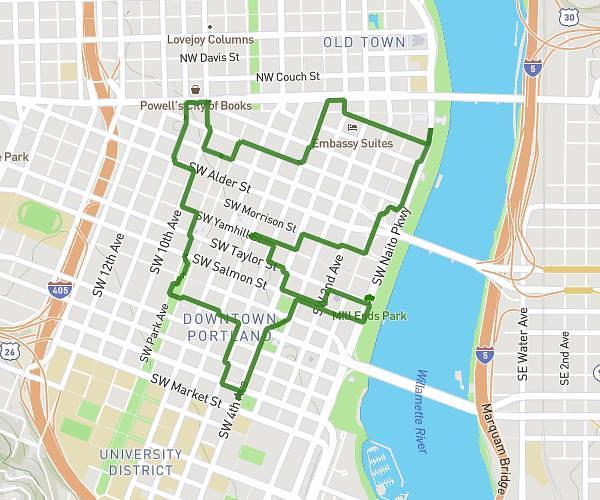
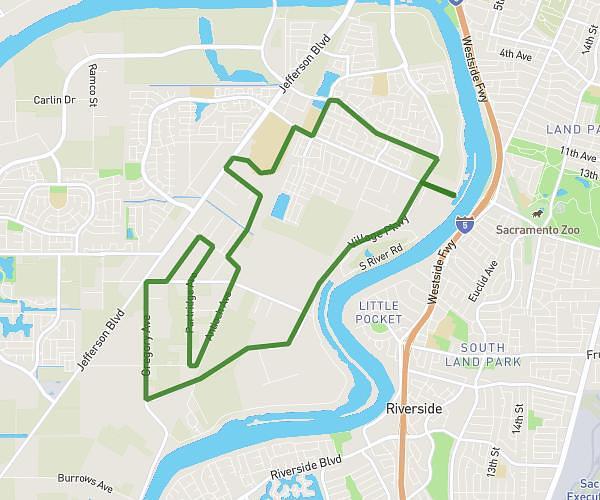
On the MapPlanner website, a feature makes it easy to create a hiking, trail running, walking, or cycling route directly on the map.
You simply choose a starting point and add a few waypoints. The route automatically follows the existing paths, trails, roads, or forest tracks shown on the map.
This approach makes planning much easier. You can quickly build a realistic route that follows real trails without manually drawing every turn.
Discover Trails and Create Your Ideal Route
MapPlanner’s route planner displays a detailed map of trails and paths suited to outdoor activities:
-
hiking
-
walking
-
trail running
-
cycling
You can explore the map to find:
-
hiking paths
-
forest roads
-
trail running routes
-
cycle paths or bike-friendly roads
Once you’ve explored your area, you can easily create your route directly on the map.
Plan your own route
MapPlanner helps you calculate distances, elevation, duration and plan your hikes, runs and bike rides on an interactive map.
- Automatic distance & elevation calculation
- Topographic, satellite maps
- GPX/KML export for your GPS
- Real-time GPS tracking
How to Plan a Hike on the Map
Creating a route is straightforward.
Choose a Starting Point
Start by clicking or tapping the map to set the start point of your outing.
This could be:
-
a trailhead car park
-
a village
-
a trail entrance
-
your usual starting location
Add Waypoints
Then click the places you want to pass through.
With each point you add, MapPlanner automatically calculates a route that follows existing trails and paths.
The route adapts naturally to the terrain:
-
roads
-
forest tracks
-
hiking trails
-
cycle paths
This creates a realistic, usable route.
Automatic Routing Based on Your Activity
Depending on the selected activity, the planner can prioritise certain types of paths.
For example:
For Hiking or Walking
The route prioritises footpaths and hiking trails.
For Trail Running
Natural trails and paths are prioritised.
For Cycling
The route calculation favours roads and cycle paths.
This logic creates routes that better match your sport.
Easily Edit Your Route
When planning a route, you often want to test different options.
MapPlanner makes route editing easy.
You can:
-
undo the last point you added
-
move a waypoint
-
add new points to explore a different trail
This lets you adjust your route quickly.
Easily Return to Your Starting Point
If you’re planning a loop, you’ll often want to finish back at your starting point.
The planner can calculate the shortest way to return to the start using available roads or trails.
This makes it easy to create:
-
a hiking loop
-
a trail running circuit
-
a circular bike route
A Practical Tool for Planning Outdoor Outings
Planning a route on a map helps you prepare your outing more effectively.
You can:
-
preview your route
-
estimate distance
-
analyse elevation gain
-
verify the route follows trails
It’s especially useful for:
-
planning a hike
-
organising trail training
-
preparing a bike ride
-
exploring new routes
Create Your Route Directly in MapPlanner
If you want to quickly plan a hiking, trail, or cycling route, you can use the MapPlanner route planner.
It allows you to:
-
explore trails
-
automatically create routes
-
build loops suited to your activity
Access the planner:
https://www.map-planner.com/planner