Tap the heart and the route is yours. MapPlanner favorites save the hikes, trail runs and bike rides you spot online and bring them together on one page, with a map and your own collections.
No more links jotted down somewhere and lost the day you need them. The loop you noticed on the home page, another runner's trail session, the bike route you have your eye on for spring: they all wait in the same place, ready to compare and share.
Save a hike to your favorites in one tap
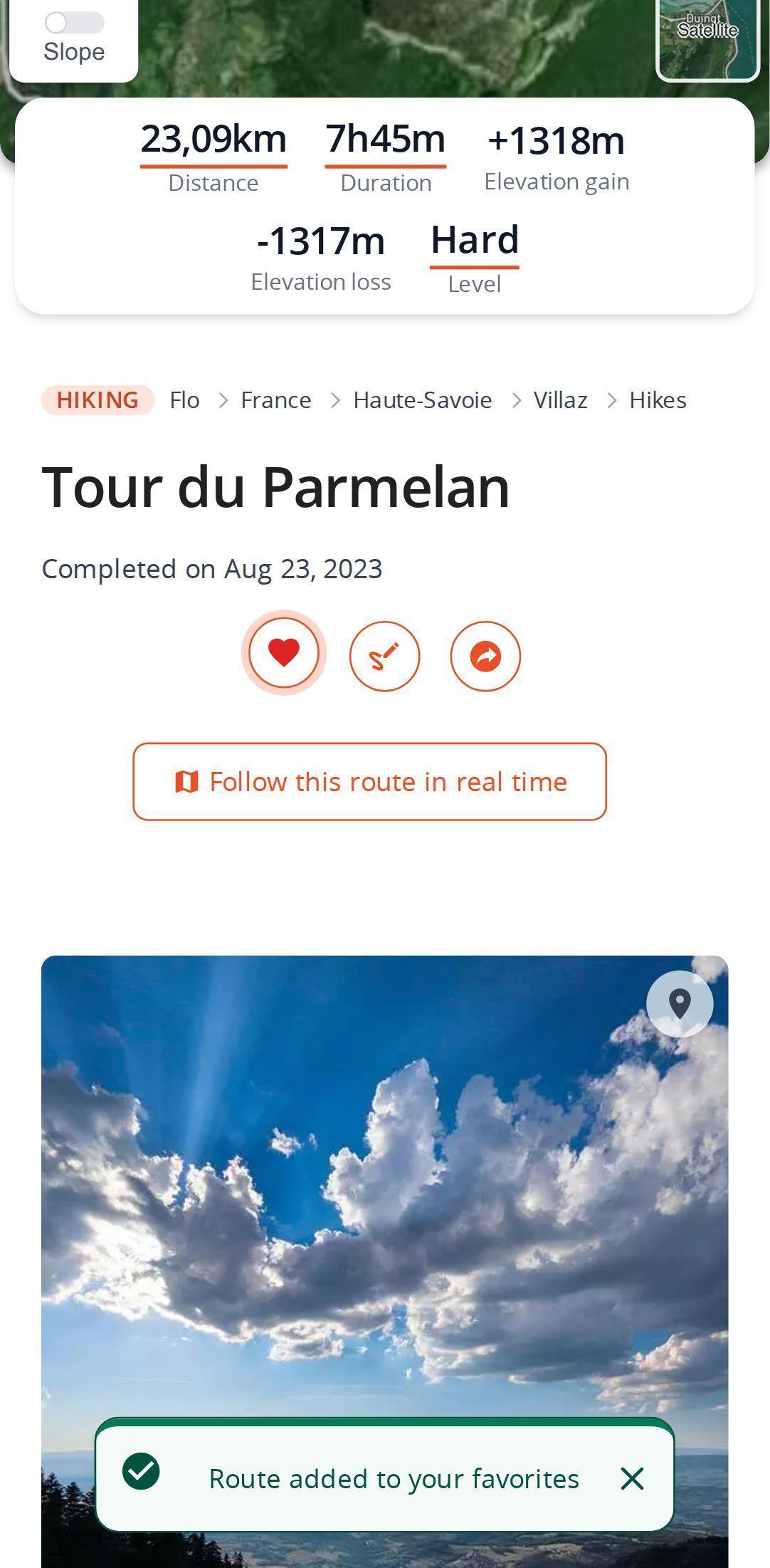
The heart sits on every route page and on the route cards you see across the site: home page, lists, suggestions at the bottom of a route page. Tap it and it turns red while a notification confirms the save. Tap it again to remove the route from your favorites.
Not signed in yet? The account window opens. Once you are in, the route joins your favorites without reloading the page.
On route cards, a small counter next to the heart shows how many times the route has been saved. A good hint at which routes people like.
Plan your own route
MapPlanner helps you calculate distances, elevation, duration and plan your hikes, runs and bike rides on an interactive map.
- Automatic distance & elevation calculation
- Topographic, satellite maps
- GPX/KML export for your GPS
- Real-time GPS tracking
All your favorite routes together on one map
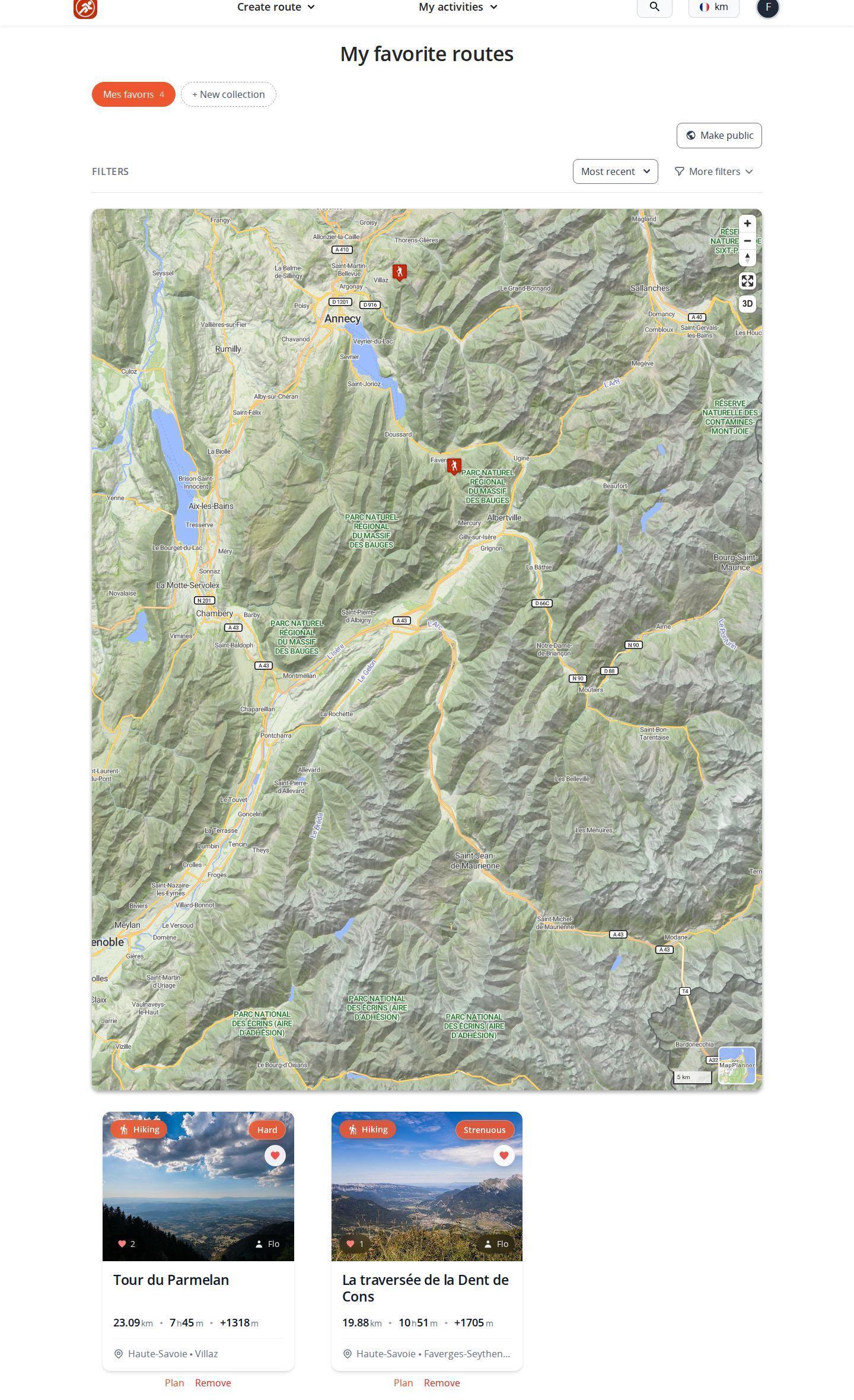
Open the My activities menu and choose Favorite routes. The page plots every route of the selected collection on a map, so you can see at a glance where your wish list lies and which routes are close to home.
Below the map, the list can be sorted and filtered. While it keeps its default order, you can rearrange routes by drag and drop to put the most tempting ones first. A link removes any route you have lost interest in.
Your first collection, My favorites, is created automatically: it receives every route you save with the heart. Your own routes live in your saved routes instead.
Sort routes by area, season or project
A collection is simply a named list: "Weekend in the Dolomites", "Winter trail", "Walks with the kids". You create one from the favorites page by giving it a name. As soon as you have several, the heart on a route page opens the list of your collections and you tick the ones where the route belongs.
Collections you created can be renamed or deleted at any time. Deleting a collection does not delete the routes it contained.
Share a collection of routes with friends
Any collection can be made public. A share button then appears: send the link to your outdoor companions and they see the collection under your username. Only public routes show up in it, so your private routes stay private. To send a single route, share it by link instead.
Ideas for well-organized favorites
- One collection per goal: gather trail routes that resemble your next race and compare their distance and elevation gain.
- A shared vacation collection: make it public before you leave so everyone can flag the outings they like.
- A rainy-day collection with short loops in the woods or at low altitude.
- Date fixed? Move the route into planning your next outings to put it on your map of places to try.
Free favorites, extra collections with the Explorer plan
Saving favorites is free: a free account is enough to use the heart and find your routes in the My favorites collection. Creating more collections to sort your favorites by theme is part of the Explorer plan; with a free account, trying to create one shows you what the plan includes.
Your next outing may already be online. Search for routes near you and keep the ones you like with a tap on the heart. Can't find the perfect one? Draw it yourself in the planner.
Favorites and collections: common questions
Are MapPlanner favorites free?
Yes. A free account is enough to add routes to your favorites and find them in the My favorites collection. Extra collections are part of the Explorer plan.
Do I need an account to save a route as a favorite?
Yes. Without an account, the heart opens the sign-in window; once you are signed in, the route is added to your favorites straight away.
Where do I find my favorite routes?
In the My activities menu, under Favorite routes. The page shows your collections, a map and the list of saved routes.
Can I share a collection of hiking routes?
Yes. Make the collection public and share its link. Anyone who opens it sees the public routes it contains.


