Saturday night, tomorrow's route is ready. With MapPlanner route sharing, it goes into the group chat as a single link: everyone opens it on the map, no account needed.
No more long-winded directions like "park by the church, then left after the bridge". Everyone sees the same route with its distance and elevation gain before they have even laced up.
Send your route as a link
Sharing happens right after drawing. As soon as your route is drawn, a share button appears below the map. Give the route a name (MapPlanner often suggests one), pick the activity and confirm: your link is ready.
All that is left is sending it. Copy it and paste it anywhere you like. You can also go straight through email, Facebook, X or WhatsApp. On a smartphone, your phone's own share menu opens too when the browser supports it: two taps and the link lands in the right chat.
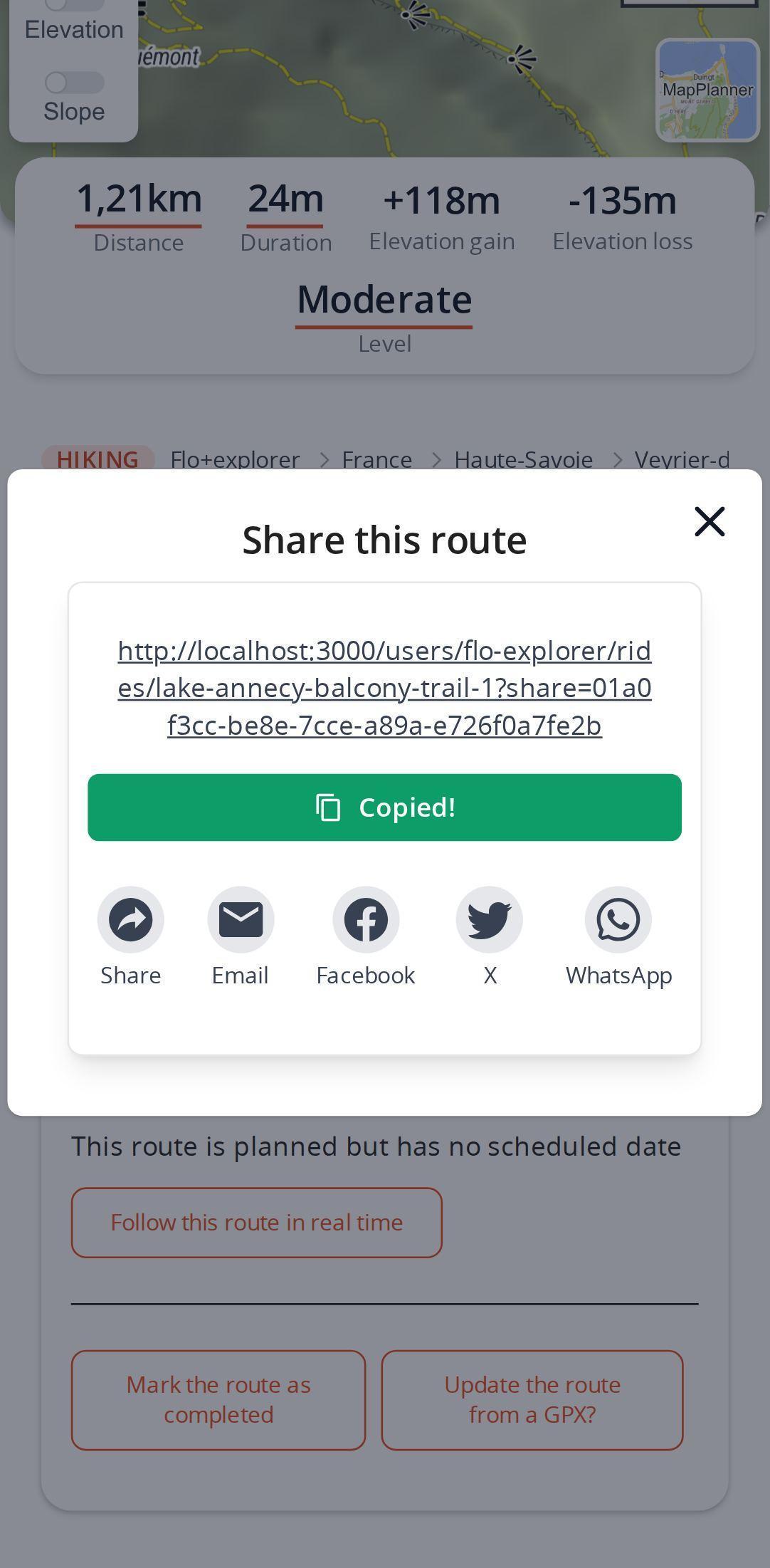
No account yet? MapPlanner offers to create a free one when you share, then finishes sharing without touching your route.
Plan your own route
MapPlanner helps you calculate distances, elevation, duration and plan your hikes, runs and bike rides on an interactive map.
- Automatic distance & elevation calculation
- Topographic, satellite maps
- GPX/KML export for your GPS
- Real-time GPS tracking
What the person opening the link sees
Your friend lands on the MapPlanner map with the route already on it. No account, no app to install. In a messaging app or on social media, the link preview shows the route name, the activity and a map image of the track, so people know what it is before they even tap.
Want to sell the idea? Add the 3D fly-over to the link: when it opens, the route replays in relief from start to finish.
Share a private route without making it public
A saved route can also be shared from its own page. If it is public, its address is all you need. If it is private, nobody else can see it, but you can create a unique link: only people who receive that link can view the route.
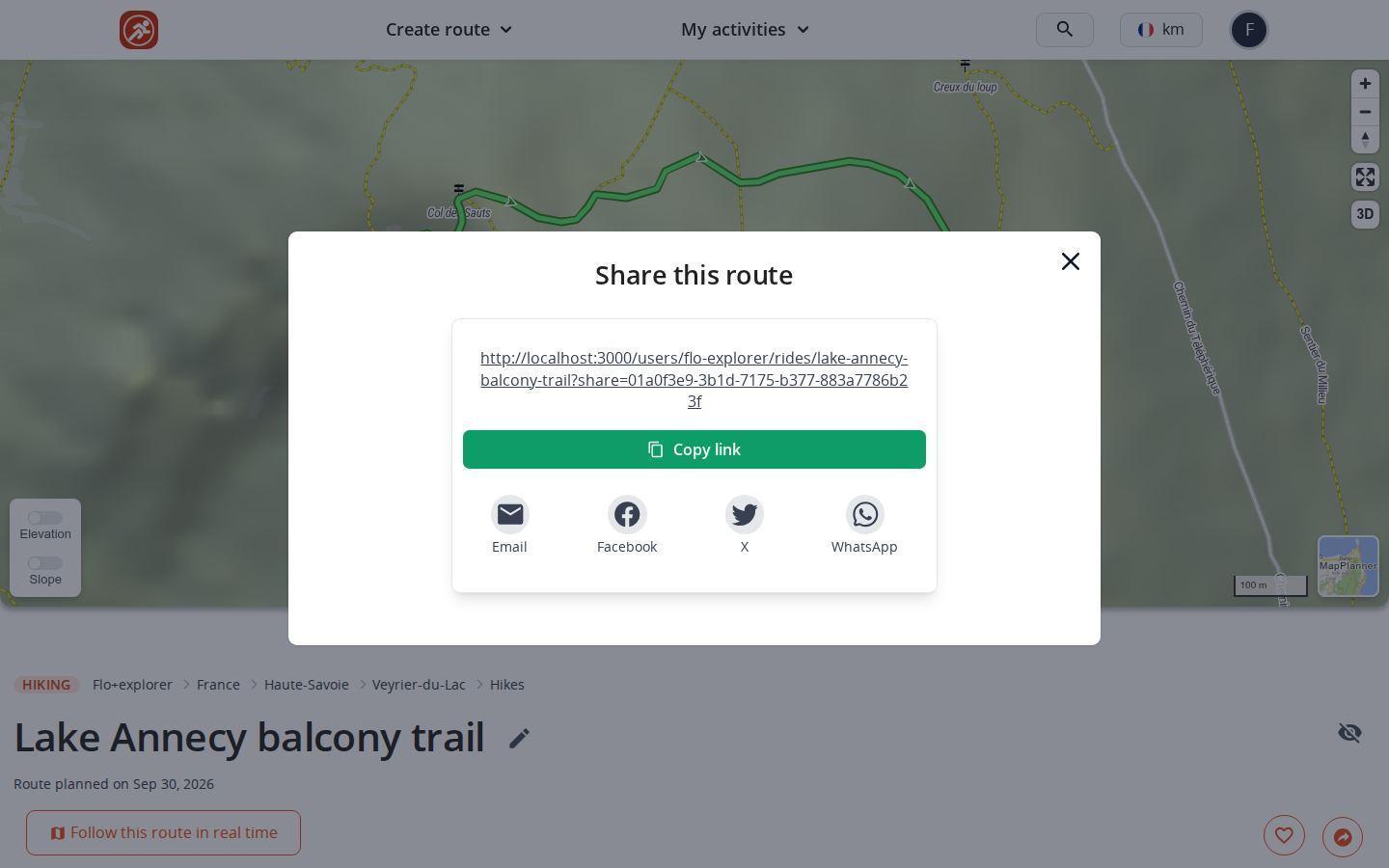
That is the right call for a mountain day you want to show your family without putting it on display for everyone. To load the track onto a watch or GPS unit, use the GPX export instead.
One link for hikes, trail runs and family walks
The trail club announcing Sunday's long run. The cycling crew who usually settle the weekend loop over a dozen messages. The solo hiker who leaves the link with someone at home so they know which way they went. The family planning a walk and emailing it to the grandparents. Each time, one link replaces ten messages.
If the group has to choose between several routes, the collaborative route goes further: everyone proposes a variant, then the whole group votes.
Route sharing: free account and Explorer plan
Opening a shared link never needs an account. To create links from the map, a free account gives you a few shares; the Explorer plan makes sharing unlimited.
Three habits for a link people want to open
- Pick a telling name ("Sunrise ridge walk" beats "Outing 3"): it shows in the preview.
- Check the activity before confirming: it appears in the preview too.
- For a route you keep to yourself, save it as private and share its unique link.
Tomorrow's outing deserves better than directions by text: draw it on the MapPlanner map and send the link to the group.
Route sharing: your questions
Do I need an account to view a shared route?
No. Whoever receives the link sees the route on the map without signing up, including a private route shared with a unique link.
Is route sharing free?
Yes. A free account lets you create a few share links from the map. The Explorer plan makes sharing unlimited.
Can I share a route without making it public?
Yes. Save it as private, then create a unique link from its page: only people with that link can see it.
How do I send a route by WhatsApp?
Once the link is created, tap the WhatsApp icon or open your phone's share menu. You can also copy the link and paste it into any conversation.


